 LaneUp
See what you really earn before you accept.
LaneUp looks at every ride offer in your ride app. It takes away the app's commission, petrol and car costs, and shows what money is left for you. You choose the ride. You tap Accept yourself.
LaneUp is in testing now. Tap Join the test with your Google account. Then install it from the Play Store. Needs Android 8 or newer. Free. No ads. No sign-up.
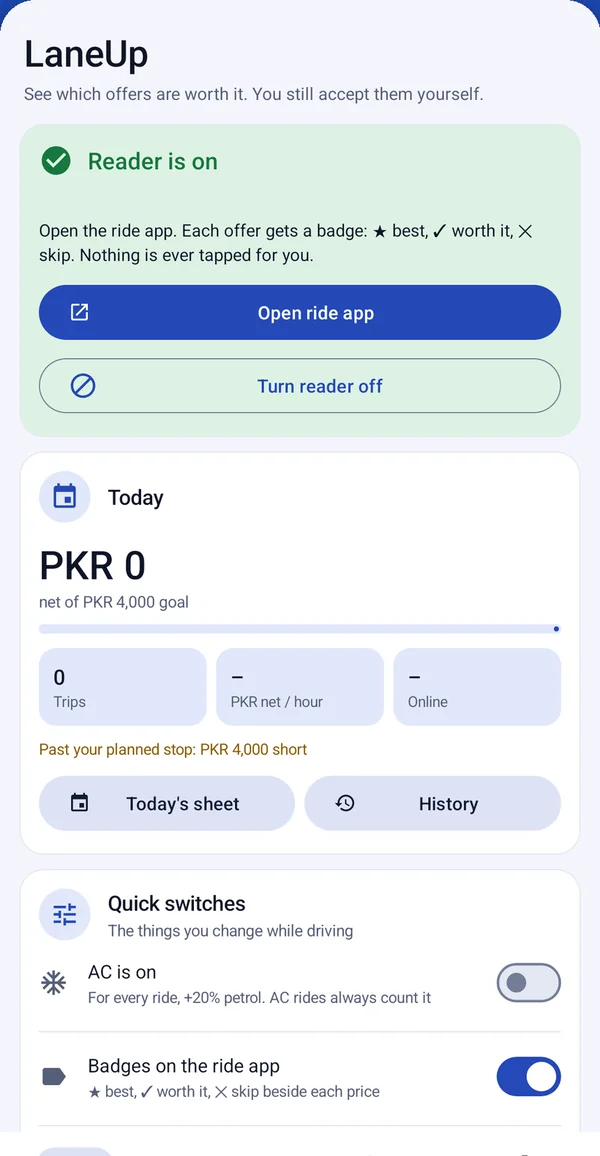
- Only reads, never taps
- Your data stays on your phone
- No ads, no tracking
- No sign-up
- English and اردو
This is what you see in your ride app
LaneUp adds small dark labels on top of your ride app. Your ride app works the same as before.
Added by LaneUpYour ride appExample only: made-up offers
1. The offer list
- 1The badge. Your profit share and what to do: #1 PICK, OK or SKIP.
- 2Total km. The km to the passenger plus the km of the ride.
- 3Money you keep, in rupees, after commission and petrol.
- 4Why it's a skip, and the fare to ask for to make it good.
2. When you open an offer
- 1Exact numbers. LaneUp reads the real route from the map: 7.5 km ride + 1.7 km to the passenger.
- 2On the Accept button: your profit share and the money you keep at this fare.
- 3On each fare button: what you keep if you offer that fare. Pick a fare that is worth it.
LaneUp only shows these labels. It never taps Accept or a fare for you.
See good rides at a glance
LaneUp puts a small badge next to each fare in your ride app.
- ★ best
- ✓ worth it
- ✕ skip
- open to check
What you keep
How much money is left for you, in rupees, after commission, petrol and car costs.
The full distance
The km to the passenger plus the km of the ride. It also counts stops, AC and rush-hour traffic.
The fare to ask for
If an offer is almost good, LaneUp shows the fare you can ask for.
The real route
Open an offer and LaneUp reads the real route from the map. Then the number is exact.
Is this ride good for you?
Try the same sum LaneUp does for every offer: the fare, minus the app's commission, minus petrol and car costs for each km.
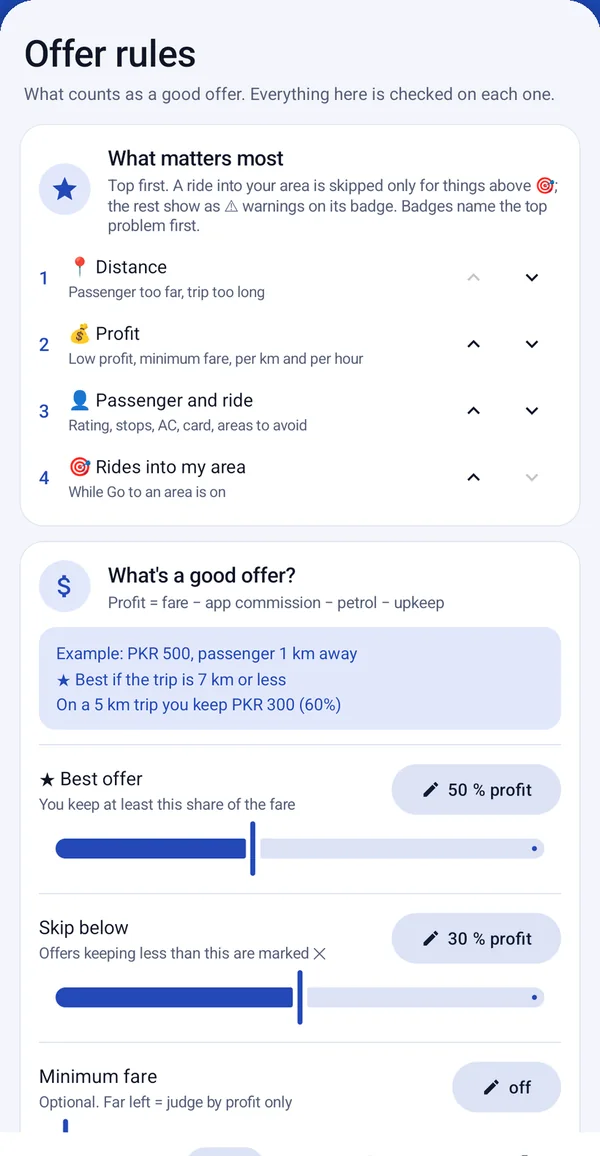
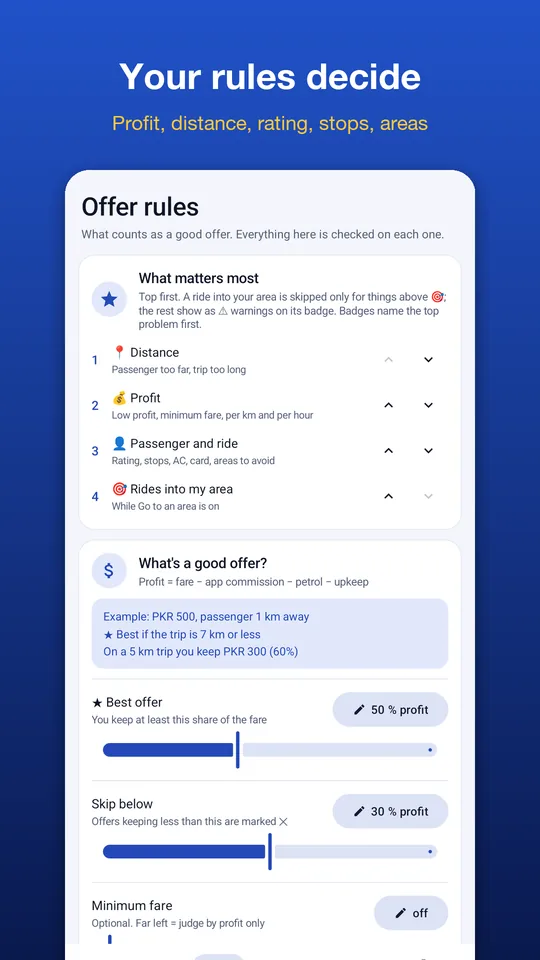
You decide what a good ride is
Set your rules one time. LaneUp checks every offer with them.
- How much profit is "best" and how little is "skip"
- How far the passenger is, trip length, rating and stops
- Areas to avoid and AC rides
- What is most important to you: your area, profit or distance
- Rush hours and busy areas
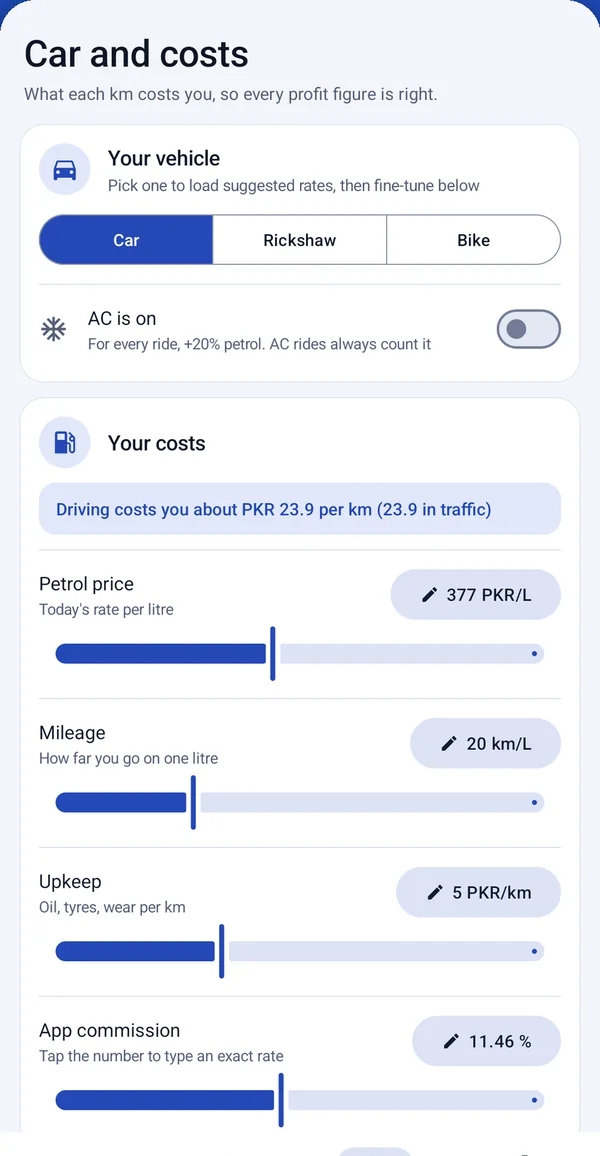
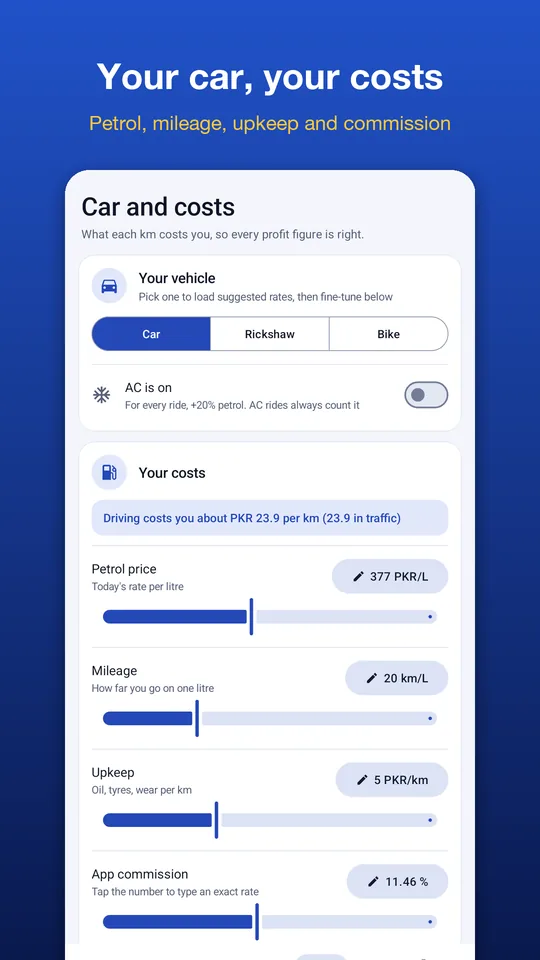
Your car, your costs
Car, rickshaw or bike. Put in your real numbers for the right profit.
- Today's petrol price and your real mileage
- Car costs per km: oil and tyres
- The ride app's commission
- AC on or off
See how your day went
No notebook needed.
- Today's rides, money, petrol and money per hour, next to your daily goal
- All past offers, and save them to a spreadsheet
- Going somewhere? Pick an area and see rides that take you there, or home
- Hear the best offers out loud, in English or Urdu (if you want)
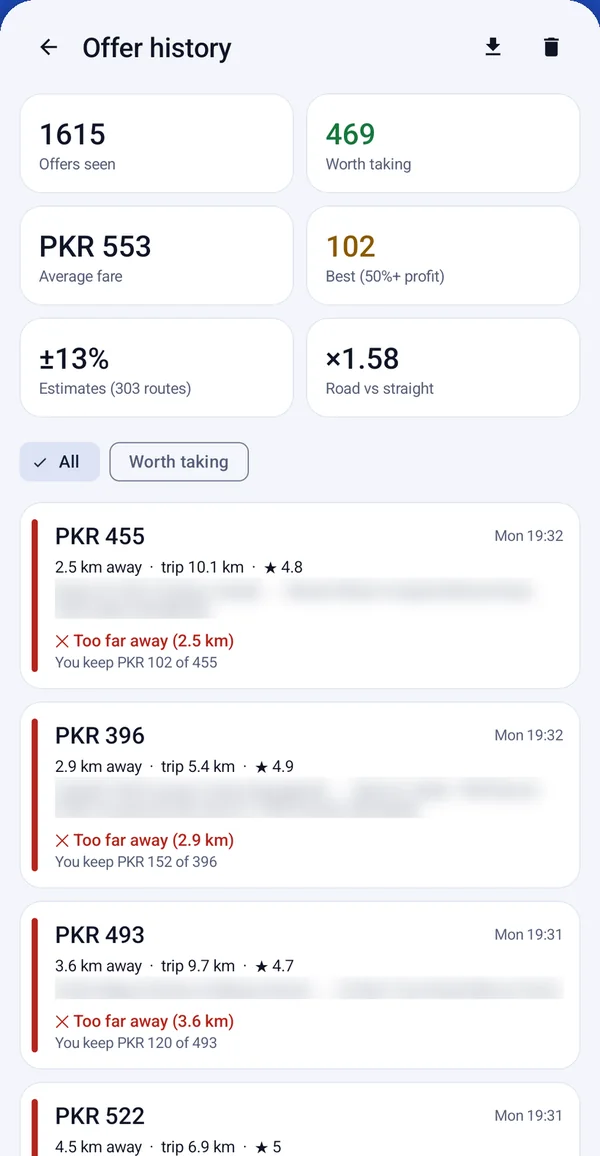
A closer look
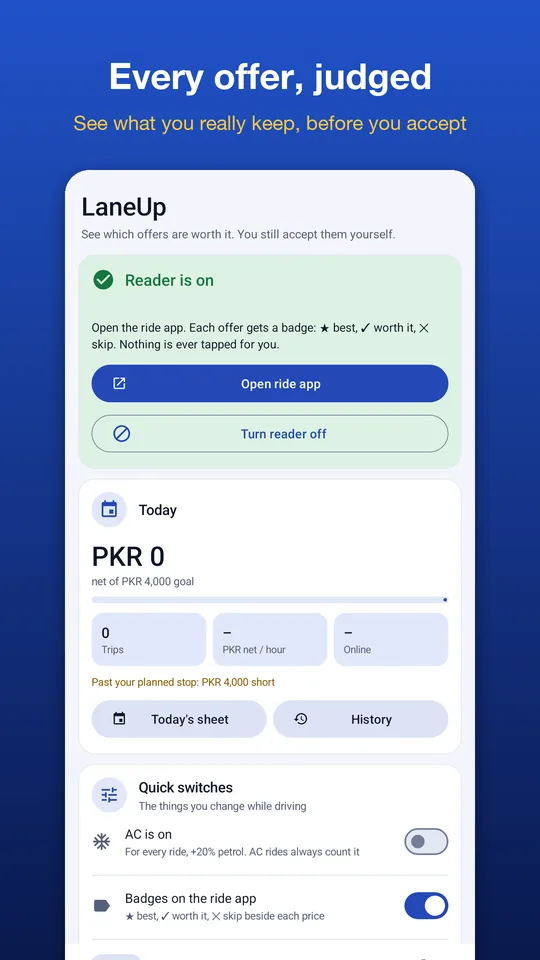
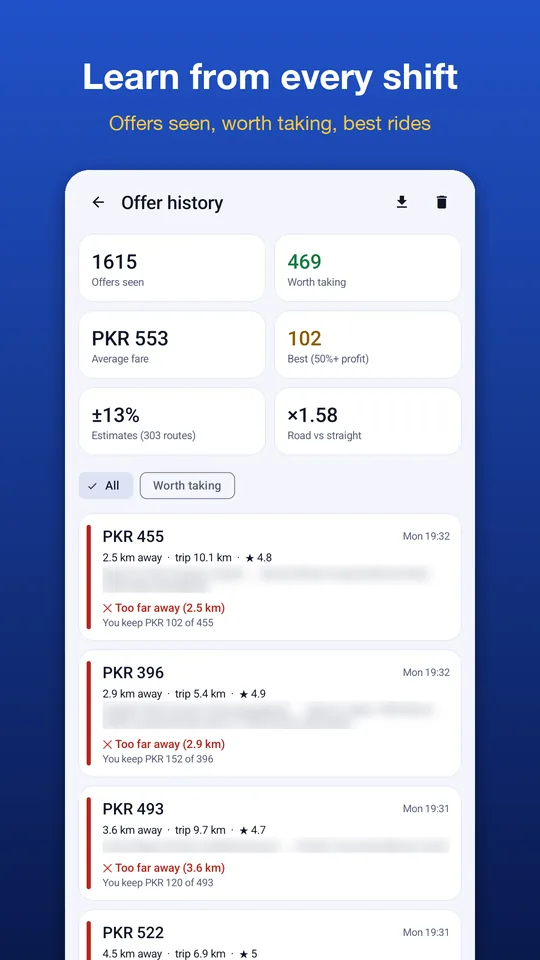
How it works
- Add your costsPick your car, today's petrol price and your real mileage.
- Turn on the readerLaneUp uses Android's Accessibility service to read the offers in your ride app. You turn it on yourself. LaneUp first tells you what it reads.
- Drive as normalOpen your ride app. Each offer gets a badge. You pick the ride and accept it yourself.
The app has a step-by-step guide with pictures, in English and Urdu.
It only reads. It never taps.
- Only reads. LaneUp reads the screen. It never taps, accepts or types anything for you.
- Your history, trips and location stay on your phone. No ads. No tracking. No sign-up.
- Passenger names are never saved.
- To find offer addresses on the map, LaneUp uses Android's address search (from Google).
- Road distances are optional. They use your own free openrouteservice key. Only map points are sent.
Read all the details in our privacy policy.
Questions
Does LaneUp accept rides for me?
No. LaneUp never taps, accepts or types anything. It only reads the offers and marks them. You choose and accept the ride yourself.
Why does it need the Accessibility service?
It is the only way an Android app can read another app's screen. LaneUp uses it only to read ride offers while your ride app is open. Android says "full control" for every app like this. LaneUp only reads.
Is the profit number correct?
It depends on the costs you put in, so use your real petrol price and mileage. In the list, distance is a guess from the addresses. If it is too close to say, LaneUp shows "open to check". Open the offer and LaneUp reads the real route for an exact number.
Does it work for rickshaws and bikes?
Yes. Pick car, rickshaw or bike on the Costs tab. Then change petrol, mileage and car costs if needed.
Is LaneUp made by a ride-hailing company?
No. LaneUp is made by Apptech Solutions. It is not part of any ride-hailing company.
How do I get it?
LaneUp is in testing now. Join the test with your Google account. Then install it from Google Play. Questions? Contact us.
 Truck DiaryAlso from us · Android and iPhone
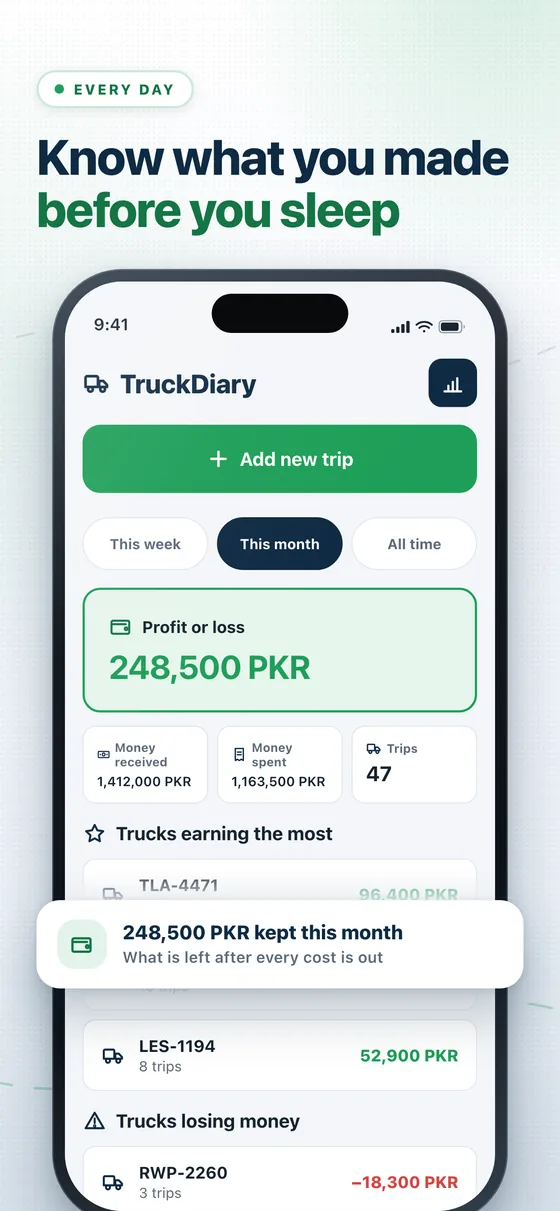
Own trucks? See profit or loss for every trip.
Truck Diary is an easy app for truck owners. Add each trip with the money you got and the money you spent. See what each truck really earns this week, this month or all time. Find the truck that is losing money.
Stop guessing. Know which rides pay.
Join the LaneUp test on Google Play. See how much money every offer gives you.